Free resource · Guide
Transaction coordinator website examples
Three real TC websites, what each one does, and why. All three are sites I built, so this isn’t a neutral roundup. It’s a close look at decisions you can borrow for your own site, whoever builds it.
Transaction coordination company · Full website
Structured Closings
A transaction coordination company that handles listing coordination, contract to close, compliance support, and investor and luxury deals. The site has to make that range clear and give agents one dependable way to send a file.
What I did: Design and development. Copy supplied by Structured Closings; the logo is the client’s own.
- Show the price at the moment the agent commits. Each service’s price appears inside the Submit a File form, right where the agent picks it.
- Ask for everything you need to open the file in one form, including the contract upload, so nothing arrives by separate email.
- Collect permission to publish a testimonial at the same time you collect the testimonial.
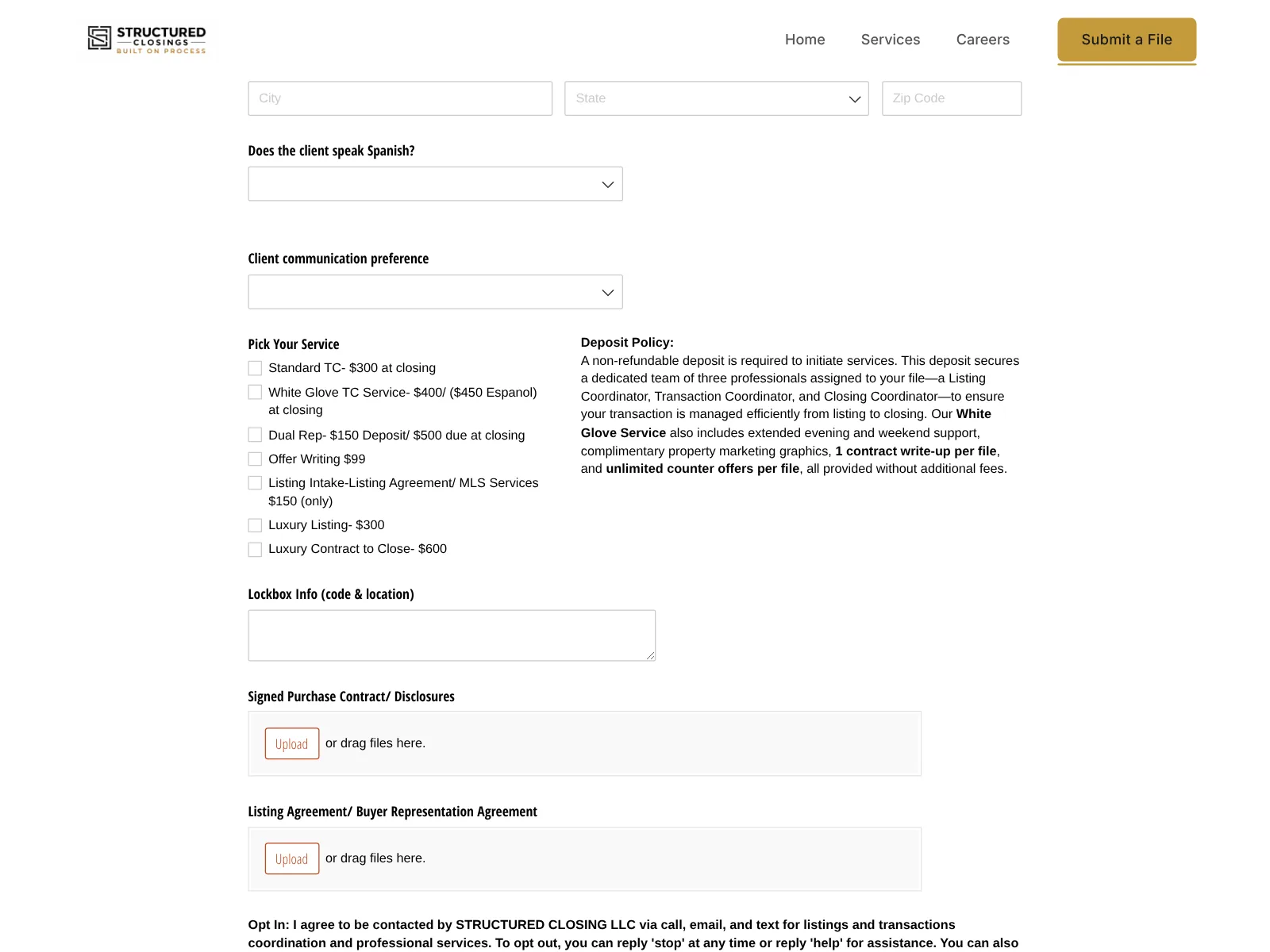
A Submit a File page that does the intake work
Agents pick the service they need and see its price, add client details, communication preferences (including Spanish-language service) and lockbox information, and upload the contract, all in one Cognito Forms intake.
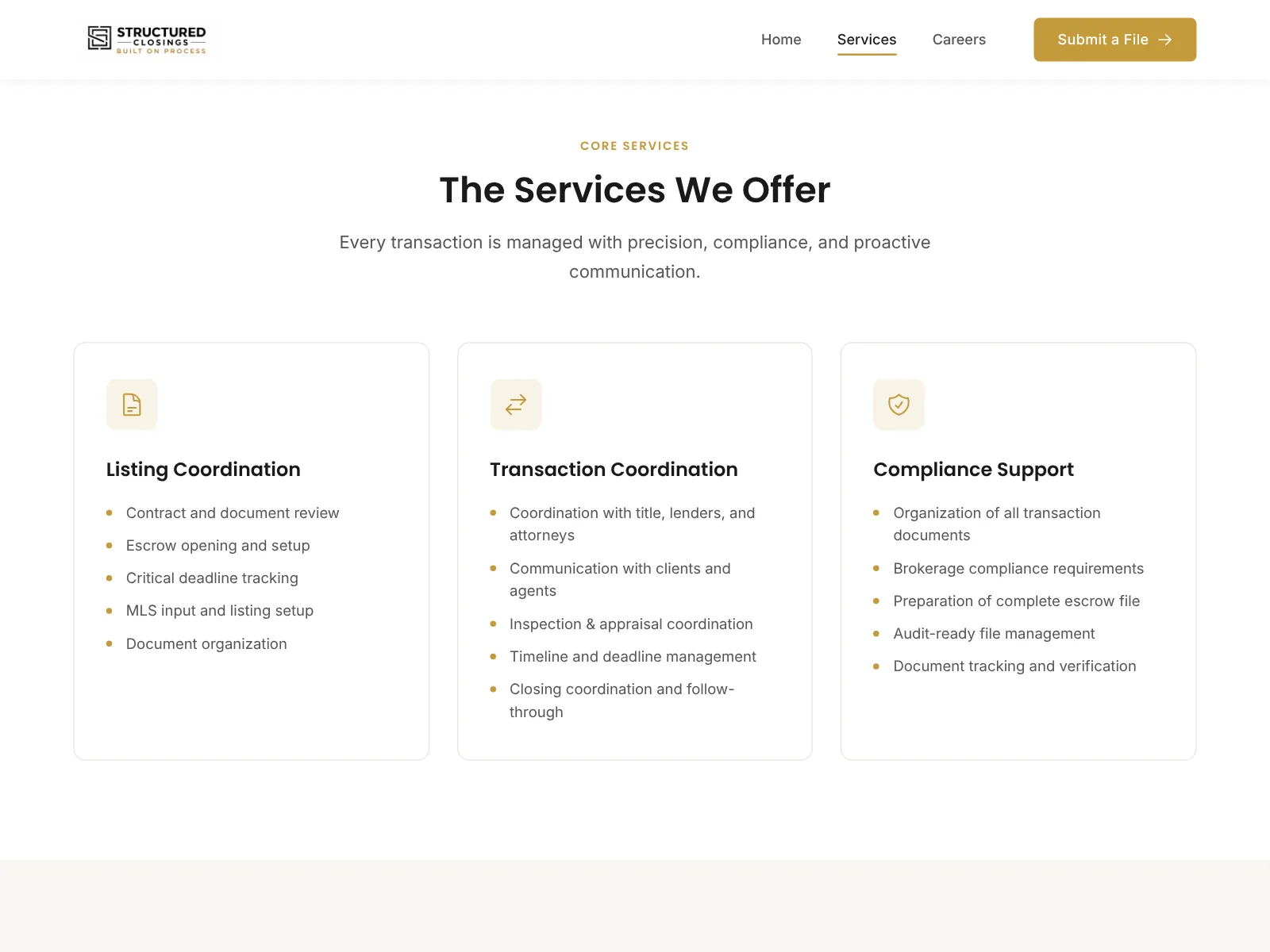
Services organized the way agents shop for them
Listing coordination, transaction coordination, and compliance support, each with what’s included.
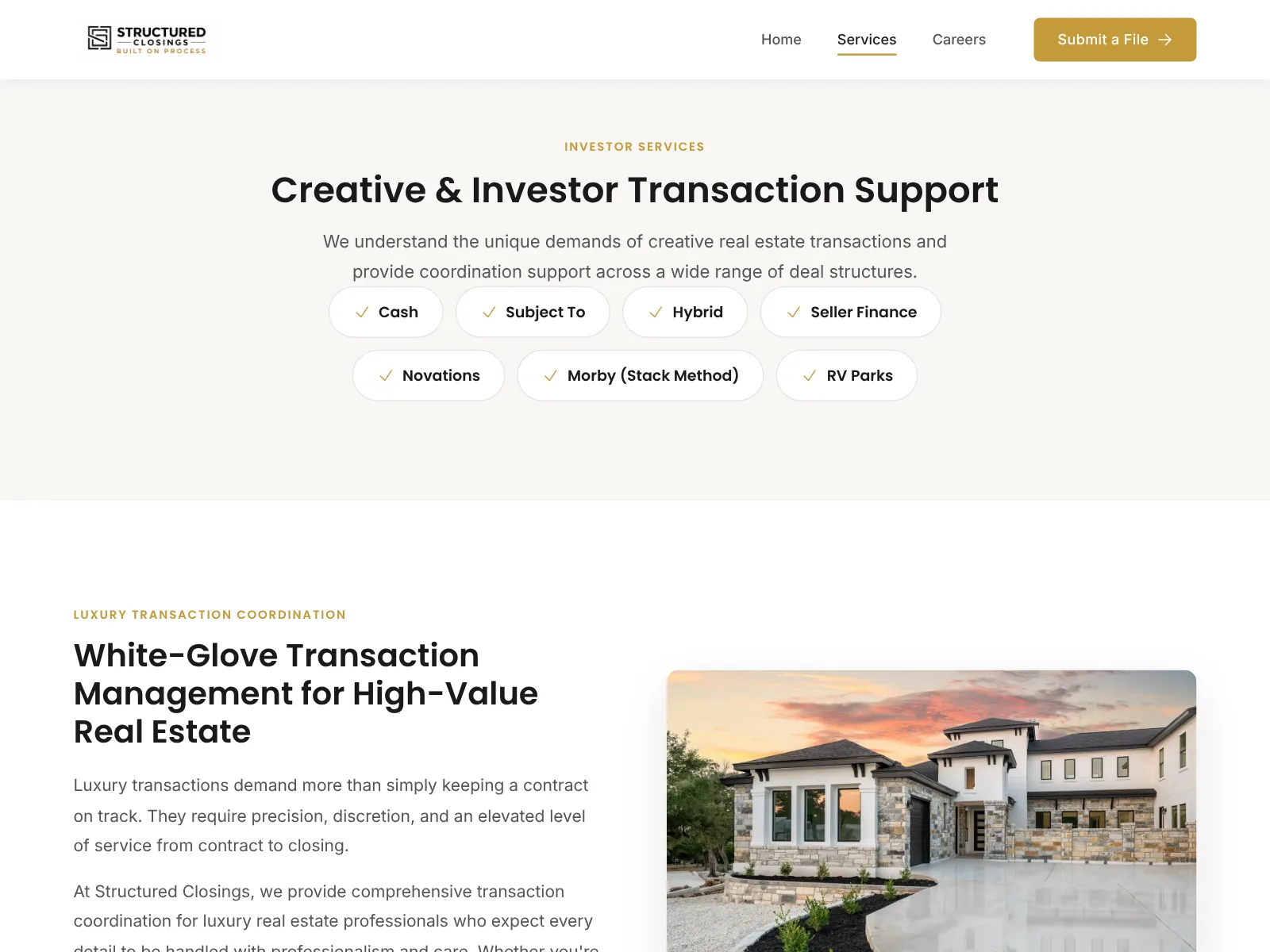
Room for investor and luxury work
Creative deal types such as Subject-To, seller financing, and novations, plus luxury transaction coordination, each have their own section. A careers page supports hiring as the company grows.
Transaction coordination business · Full website
PA Real Estate Support Services
A transaction coordination business serving agents in the Pocono market. The redesign is built around the question agents ask first: “How do I send you a file?”
This is my mom’s business. Debbie O’Brien has worked in real estate for more than 30 years and has been a transaction coordinator since 2013, serving agents across the Pocono market.
What I did: Design and development, including the agent intake form, which creates transactions in Norma
- Put your start-a-file button in the navigation, so it’s on every page.
- Group your services so an agent can see what’s covered in a few seconds.
- Send form entries straight to where you work. Here they arrive in Norma as a new transaction, so nothing is retyped from email.
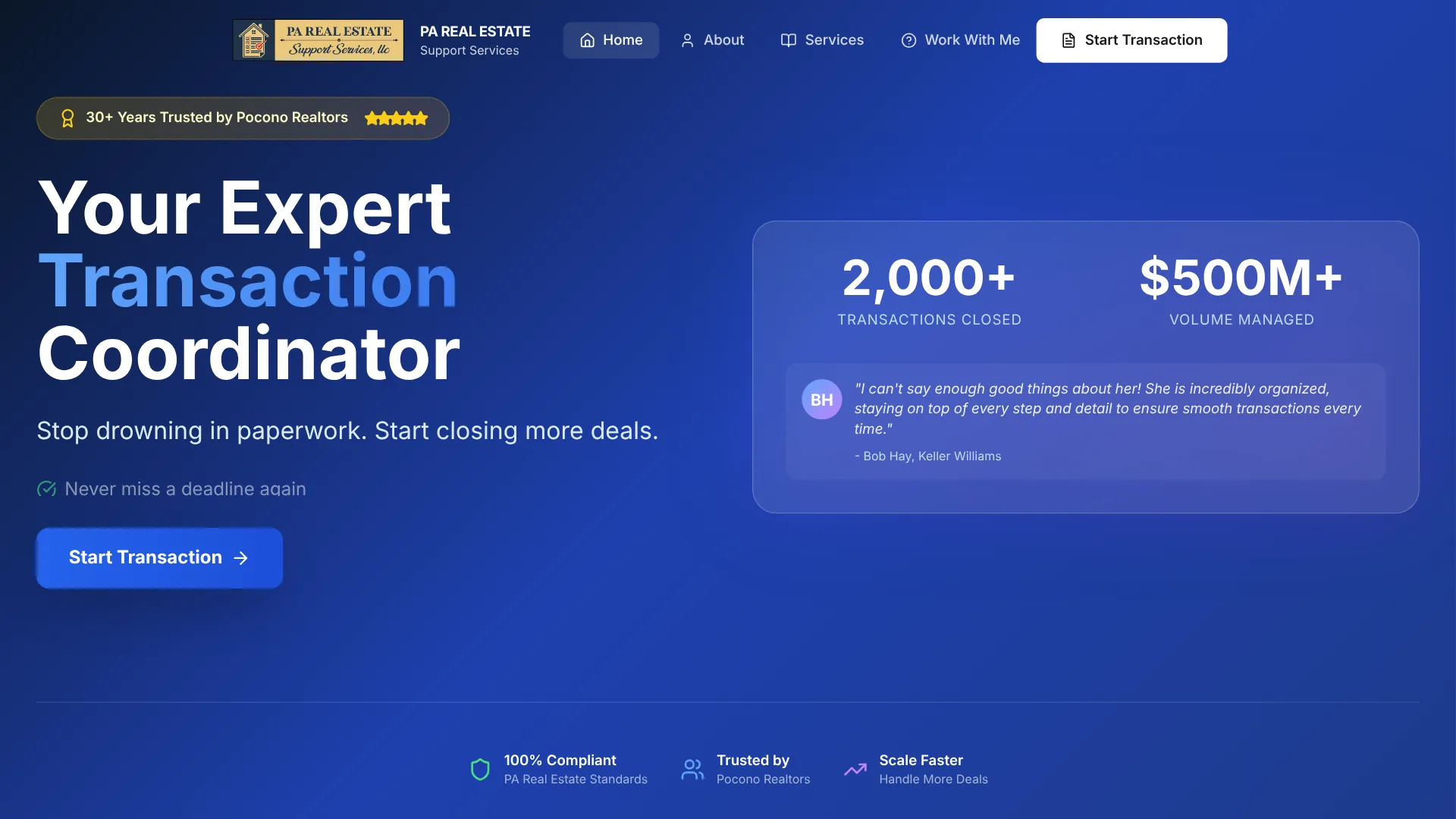
One action on every page
A clear headline about who Debbie serves, and a “Start Transaction” button in the navigation on every page.
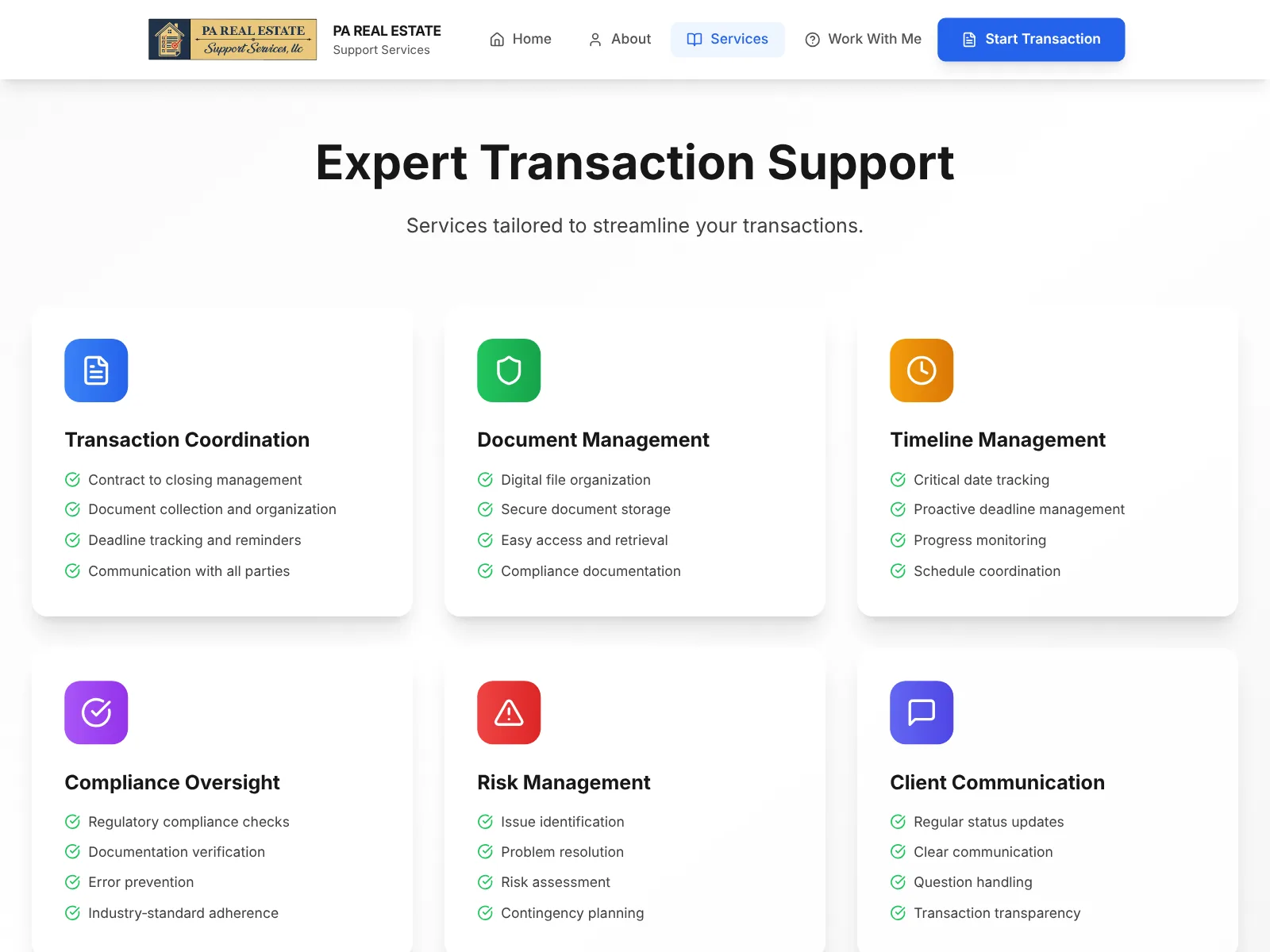
Services in scannable groups
Agents can see what’s covered, from contract management to deadlines and compliance, before they call.
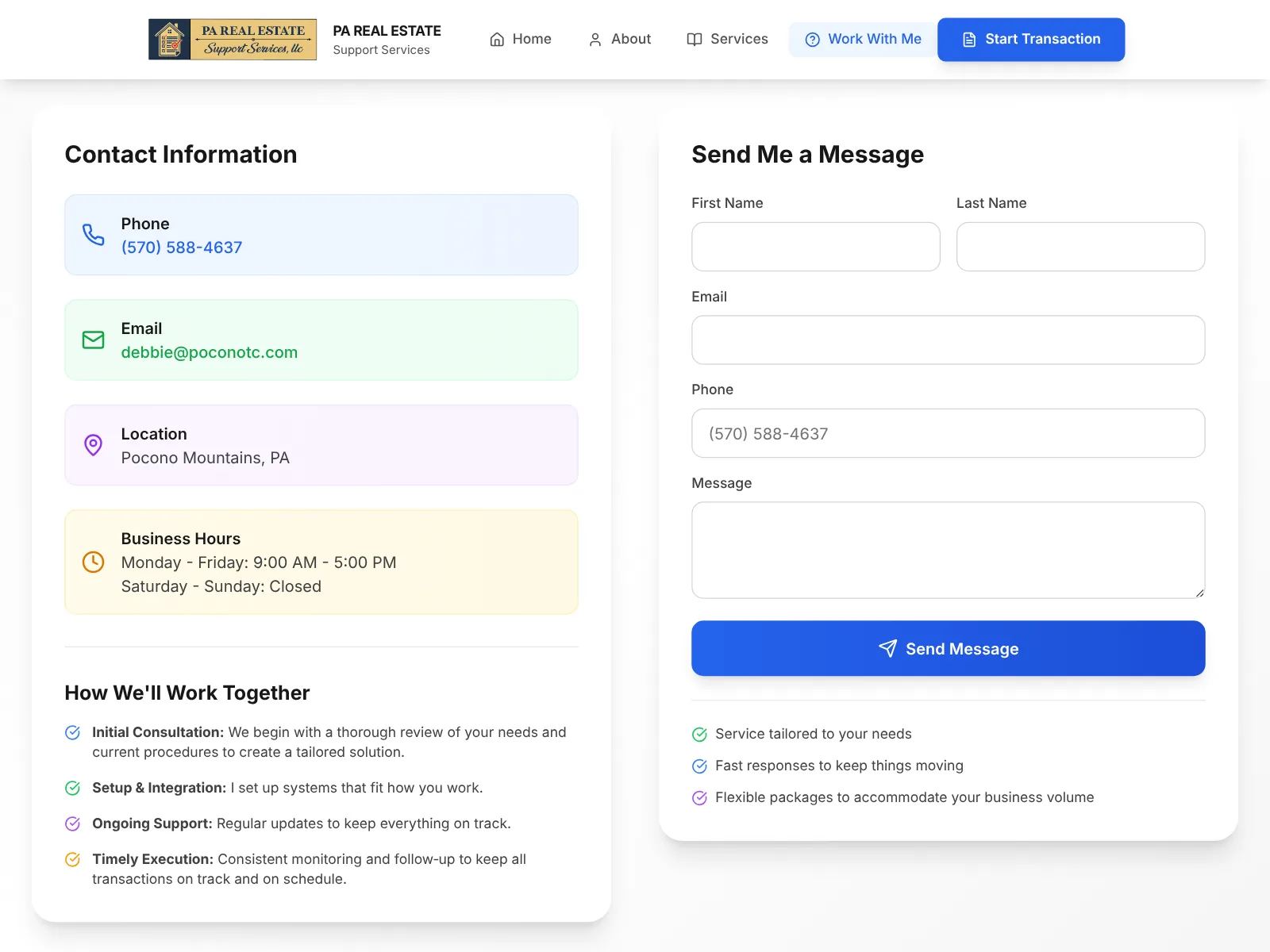
Call, email, or form
The Work With Me page puts every way to reach Debbie in one place, with business hours, so agents know what to expect.
TC infrastructure company · One-page site
Transaction Authority Group (TAG)
A one-page site for a company that works with established transaction coordinators. It has one job: get the right people to book a discovery call.
What I did: Strategy, copy, design, and development
- Say who you’re not for. The right visitors recognize themselves, and the wrong ones leave before booking.
- Tell people what happens on the call, so booking feels low-risk.
- Keep one action on the page, and point every button at it.
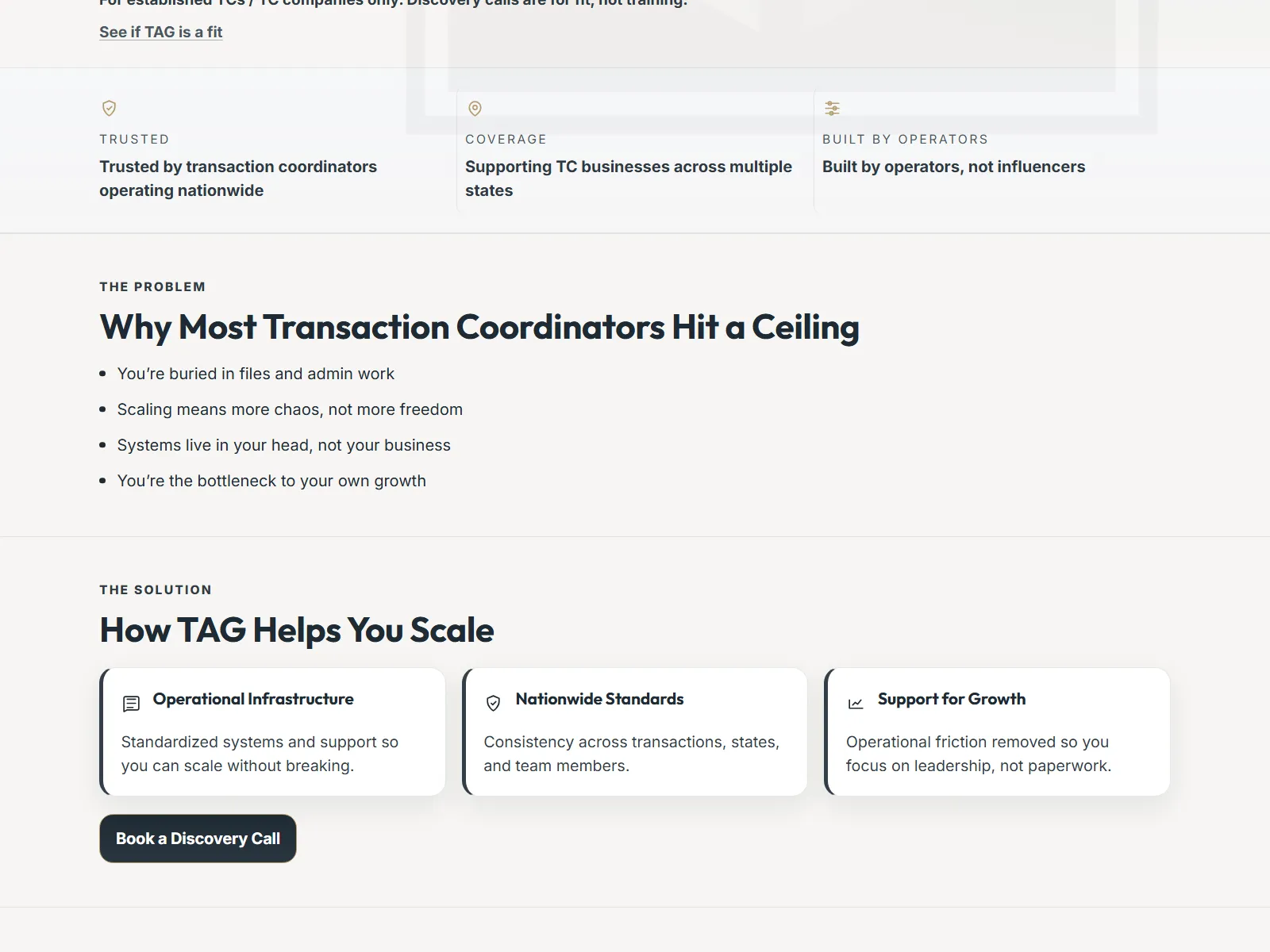
The problem, then the answer
The page names the ceiling most TCs hit, then shows how TAG helps, so the right visitors recognize themselves before they book.
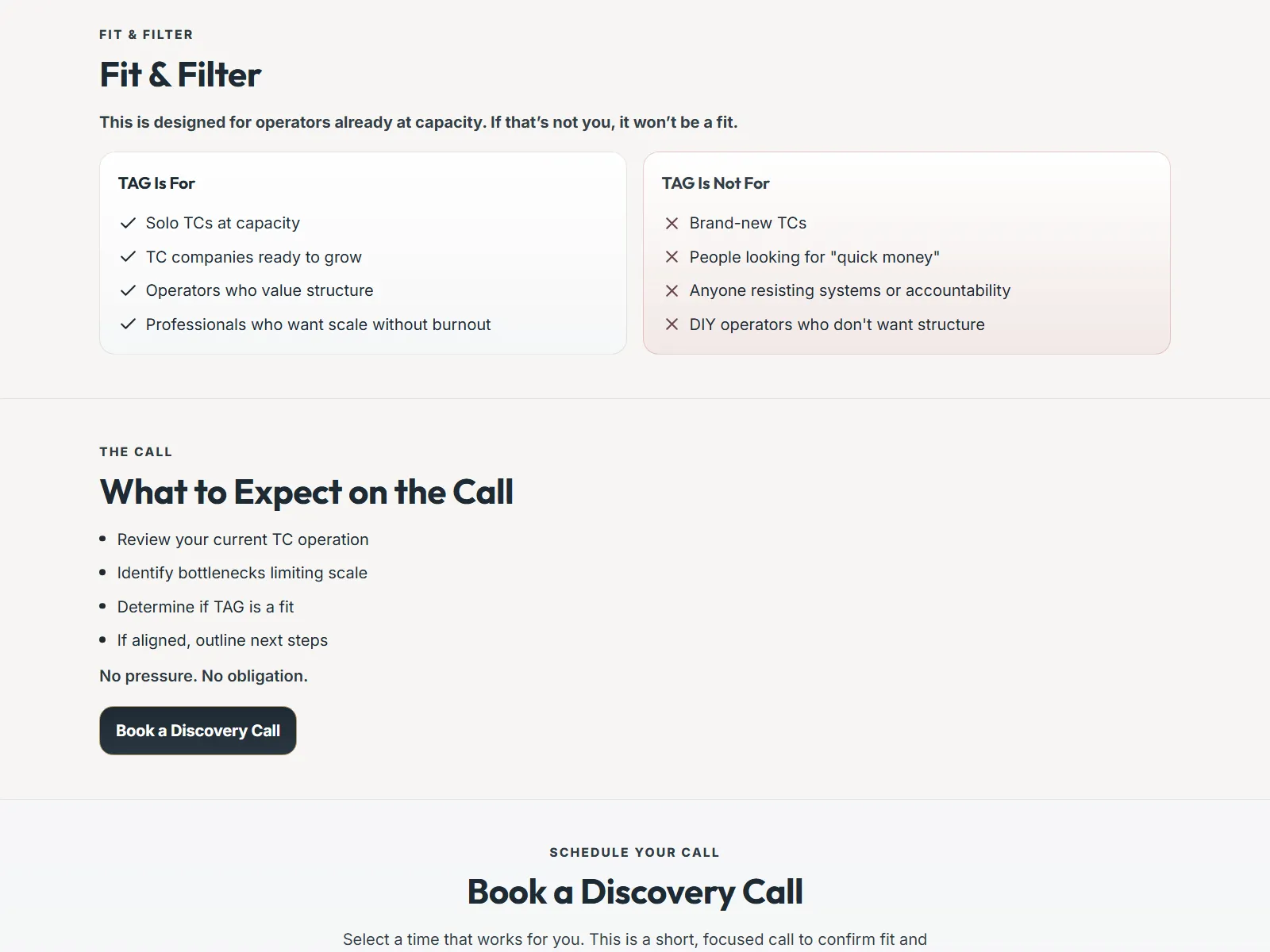
Who it’s for, and who it isn’t
A “For / Not for” section lets unqualified prospects filter themselves out, and a short list of what happens on the call makes booking feel low-risk.
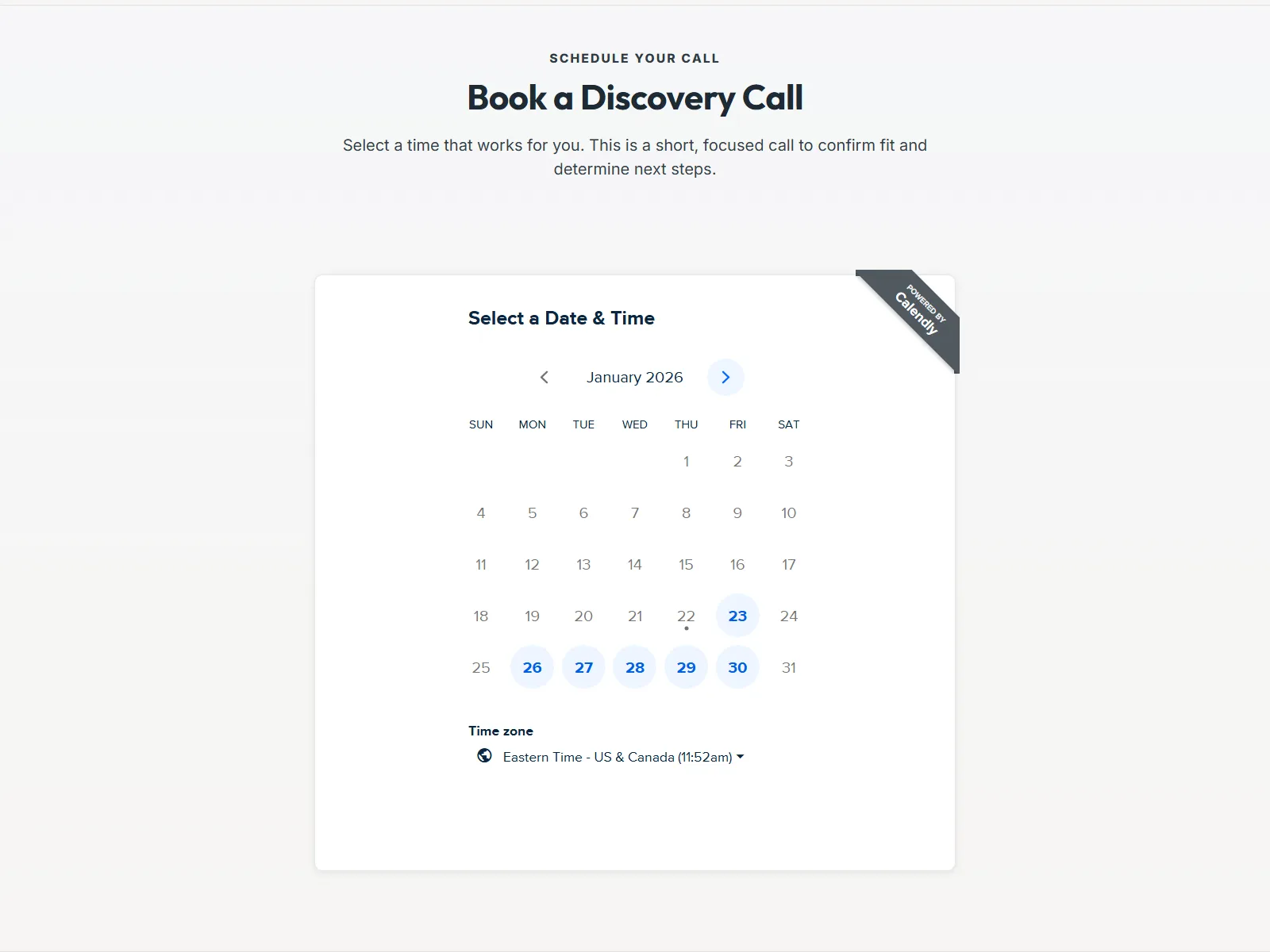
One action, all the way down
The booking calendar sits on the page itself, and every button leads to it.
What all three have in common
One main action, everywhere
Submit a file, start a transaction, or book a call. Each site picks one and keeps it in view on every page or every section.
Written for one reader
Two are written for agents sending files. The third is written for established TCs. None of them tries to speak to everyone.
Questions answered before the call
Prices in the intake form, services grouped by what’s covered, and a plain list of who the offer is and isn’t for.
Which size of site do you need?
A focused single page, like Transaction Authority Group, is enough for most new TCs. Structured Closings and PA Real Estate Support Services are full websites with separate Services, Start a File, and About pages, which suit an established TC with more to explain.
What a TC website costs →FAQ
Common questions
Can I copy these layouts for my own site?
Borrow the ideas freely. That’s what this page is for. The designs, wording, and branding belong to each business, so build your own version rather than copying them.
Does a new TC need a multi-page site like these?
Usually not. One page that covers what you handle, how to start a file, who you are, and how to reach you is enough to start. It can grow into a full website later.
Why are all of these your own work?
Because I can only explain the decisions behind sites I built, and I can only show screenshots I have permission to use. Treat this as a close look at three real sites, not a ranking of the best TC websites out there.
More for TC websites
What every TC website needs
Nine must-haves and ten common mistakes, from positioning to the intake form.
Read the guide →What a TC intake form should ask
The fields agents expect, what to leave out, and which tools work.
Read the guide →What a TC website costs
Doing it yourself versus hiring someone, and the ongoing costs either way.
Read the guide →Tell me about your business.
I’ll reply personally within one business day with a few questions or a recommended package. No pressure, and no newsletter.
Start a project